Guide · 3 minutes
Your first download
A search, a few ticks, one ZIP. That really is the whole loop.
- 1 · Search
- Open the popup, pick Meta or Google, type a brand or a keyword. Set country, media type and status if you care about them. Press Search and it opens the library's own results page.
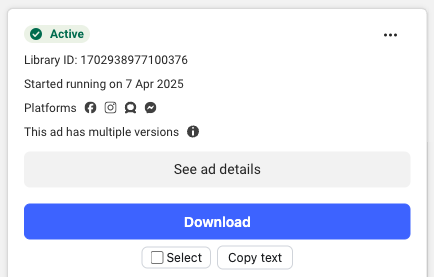
- 2 · Let results load
- Every card picks up its own row with Download, Select and Copy text. To get past the first screen, press Load all results in the toolbar. It scrolls at about the pace a person would until the library runs dry. Stop whenever you like; whatever loaded stays put.
- 3 · Pick ads
- Tick Select on the ones you want, or hit Select all loaded. The toolbar keeps a running count. You can narrow by media, status and platform up there too, and your selection survives it.
- 4 · Download
- Press Download selected. A new tab opens with the progress in it and you can go straight back to browsing. Closing the popup will not stop the job. Closing that tab will.
- 5 · What you get
- One ZIP holding every image and video, plus ads.xlsx, ads.csv and ads.json. Anything over about a gigabyte splits into numbered parts rather than failing.
Worth knowing
Three things that catch people out
One ad, several files
Carousels and multi-version tests keep every variant, suffixed _v1, _v2. Tick ten ads and forty files is a perfectly normal result.
Google video is a link
Google will not serve the video file. You get the YouTube link in the sheet and the thumbnail as an image, both labelled as exactly that.
Failures are listed
If something cannot be fetched, FAILED.txt names the ad and the reason. The count in the sheet always matches what actually landed.
Next
See it on your own searches
Ten days with everything unlocked, and we do not ask for a card. Say which browser you use and we will send a build and a key.